11 Best All-in-One Planner Templates with Sections for Easy Daily Planning (2026)
I’ve tested many layouts, but Sectioned Planners consistently help me stay focused and organized without overcomplicating my routine. When tasks, priorities, and notes are clearly divided, it’s easier to plan realistically and avoid overwhelm. In this list, I’ve gathered 11 planners with structured sections for work, personal life, goals, and daily tracking. Some are minimalist, others more decorative, but all of them make planning clearer and more intentional. If you prefer having everything in one place — tasks, goals, schedules, and notes — all-in-one planners with built-in sections are the perfect solution. These planners help you stay organized without switching between multiple tools.
Looking for more planner options? Explore our full collection of Planner Templates
⭐ Best All-in-One Planners (Top Picks)
Carefully selected planners that combine multiple sections into one streamlined system.
1. Digital Minimalist Daily Sectioned Planner
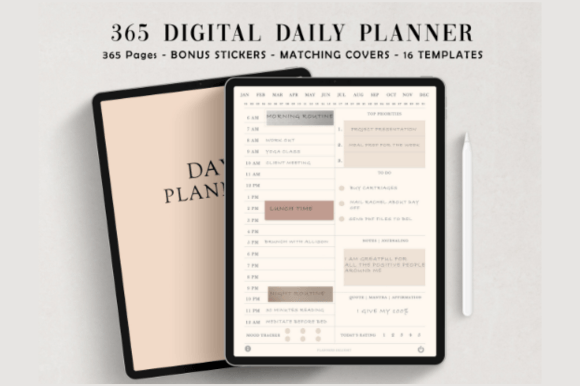
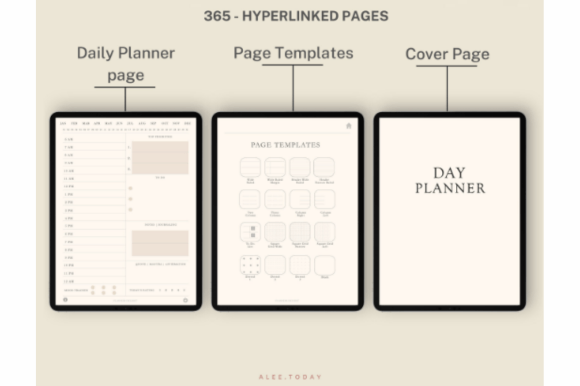
I keep coming back to Digital Minimalist Daily Planner when I want a clean, no-distraction layout on my iPad. The daily pages are simple but structured, so it’s easy to block time, list priorities, and keep notes in one place without visual noise. Navigation is quick thanks to full hyperlinks, and I like that it’s undated — I can start anytime and skip days without wasting pages.
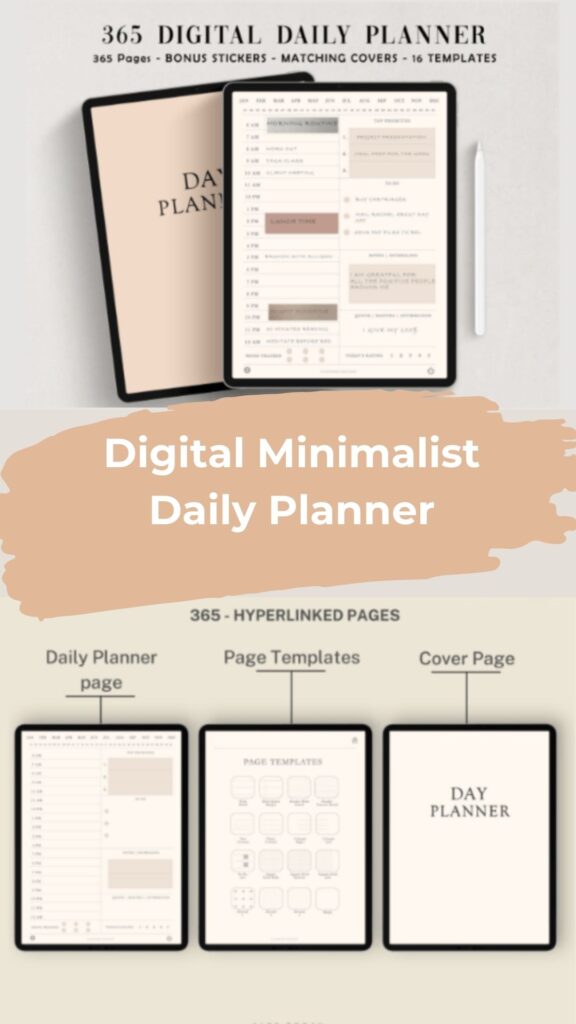
It includes 365 daily pages, multiple templates, bonus covers, and a solid pack of digital stickers that match the minimalist style. Works smoothly in GoodNotes or Notability, and the layout feels calm and focused, especially for routine planning and deep-work days.
2. All-in-One Undated Digital Sectioned Planner
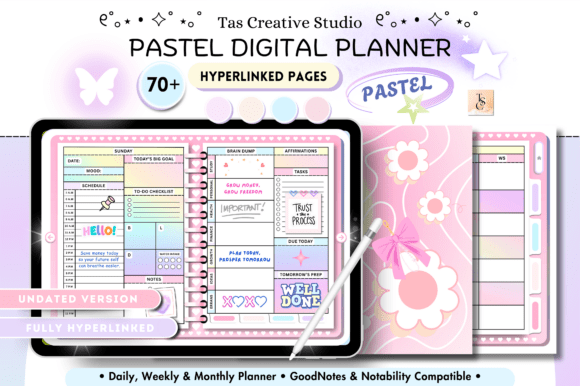
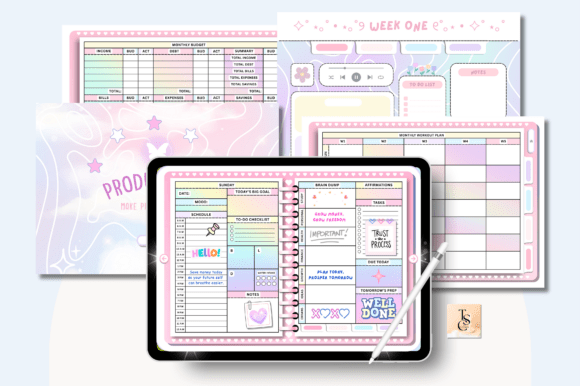
I needed one planner that keeps everything in one place, and All-in-One Undated Digital Sectioned Planner does exactly that. The hyperlinked layout lets me jump between daily, weekly, and monthly pages without digging, and I like having health, finance, and productivity trackers in the same file. The horizontal format feels spacious on a tablet, so it’s easy to plan routines, budgets, and goals together. Since it’s undated, I can start anytime and reuse it for new planning cycles without resetting everything.
3. 2026-2027 Sectioned Planner Template
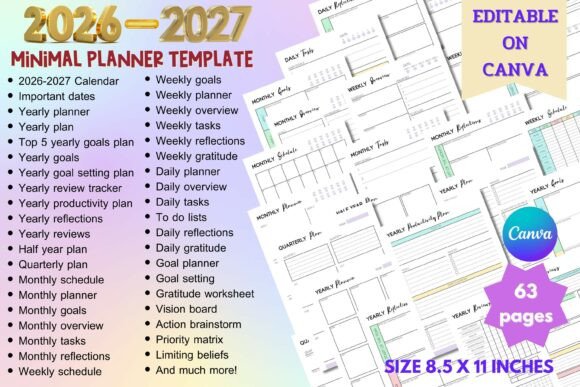
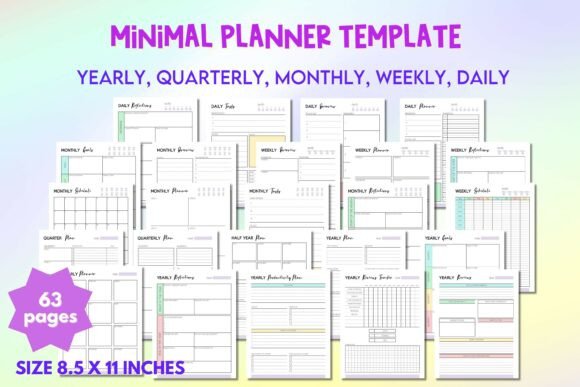
I like templates I can fully adapt to my workflow, and 2026-2027 Sectioned Planner Template gives that freedom. It’s clean, easy to edit in Canva, and packed with yearly, monthly, and daily pages plus budgeting and habit trackers. I can rearrange sections, adjust colors, add branding, and build a planner that fits my routine instead of forcing myself into a fixed layout. The 63-page structure saves setup time while still letting me customize everything and print whenever I need.
💻 Digital All-in-One Planners
Flexible and editable planners ideal for iPad, GoodNotes, or Canva workflows.
4. Undated Digital Sectioned Planner
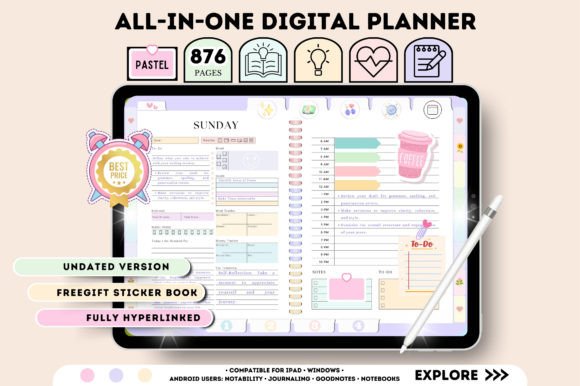
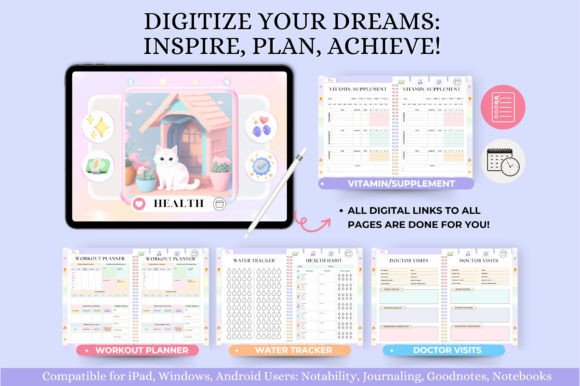
I wanted a planner I could reopen anytime without resetting dates, and Undated Digital Sectioned Planner fits that routine. The hyperlinked daily, weekly, and monthly modules make navigation fast, and I like having health logs, budgeting pages, and goal trackers in one place. The horizontal layout feels comfortable on a tablet, and the extra sticker book is a nice bonus for quick highlights. I reuse it for new months without starting from scratch, which keeps my planning simple and consistent.
5. All-in-One Digital Sectioned Planner
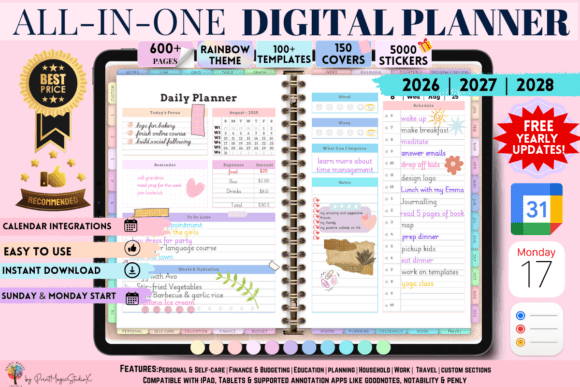
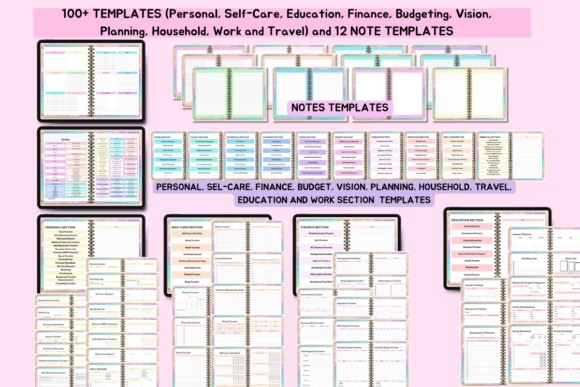
I wanted one system for everything, and All-in-One Digital Sectioned Planner covers planning, goals, finances, work, and personal life in a single hyperlinked setup. The rainbow theme keeps it lively, while 86 templates, 5000 stickers, and 150 covers let me customize every section. It syncs across Apple and Google devices and includes yearly updates, so I don’t need to switch planners. I can manage daily tasks, budgets, habits, and projects in one place without rebuilding my workflow each year.
6. Dark Mode All in One Digital Sectioned Planner
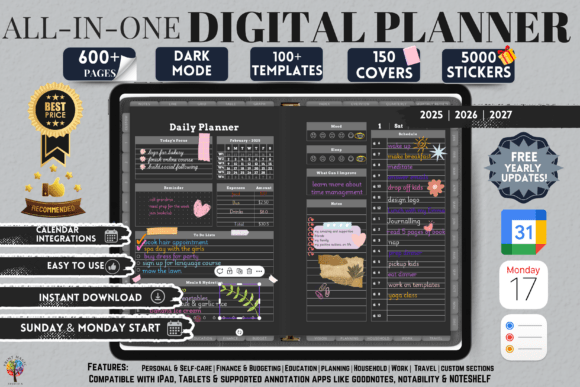
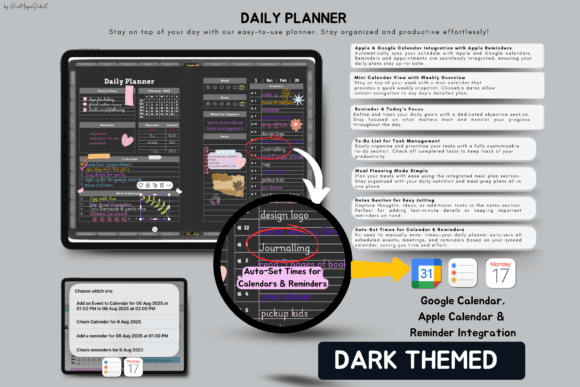
I switched to Dark Mode All in One Digital Sectioned Planner to keep everything in one sleek, low-light workspace. The dated layouts for 2025–2027, full hyperlinks, and Apple/Google calendar sync help me manage daily tasks, goals, finances, and projects without jumping between apps. With 5000 stickers, 150 covers, and 10 custom sections, I can tailor the planner to my workflow and reuse it thanks to free yearly updates and unlimited page duplication.
Looking for more digital options? Explore Digital Planner Templates
🧩 Editable & Canva Planner Templates
Customizable planners that allow you to adjust sections and layouts to your needs.
7. PLR Resell Canva Undated Digital Sectioned Planner
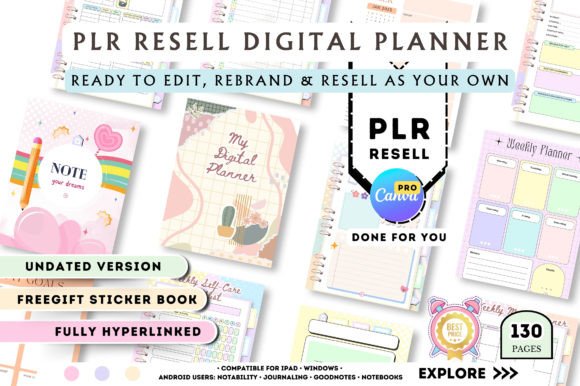
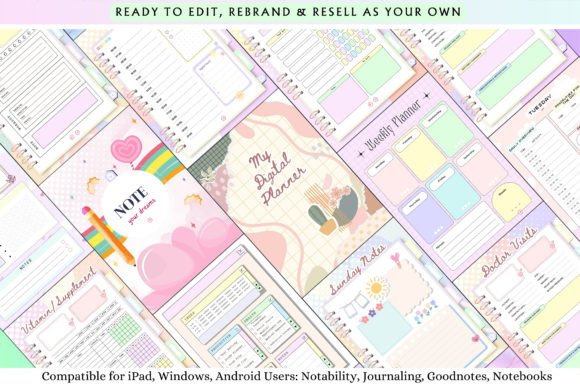
I like tools I can both use and resell, and PLR Resell Canva Undated Digital Sectioned Planner fits that workflow well. The layout is already structured with daily, weekly, and monthly sections, plus finance, health, and productivity trackers. I can open it in Canva, rebrand it, adjust pages, and quickly turn it into my own digital product. The undated format makes it reusable, and the PLR rights save a lot of setup time if you’re building a planner shop or testing new listings.
8. PLR Undated Canva Sectioned Planner Template
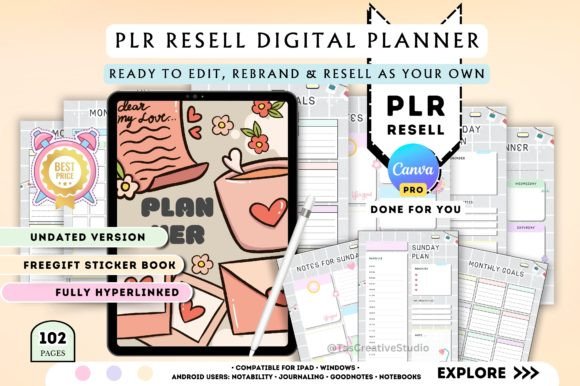
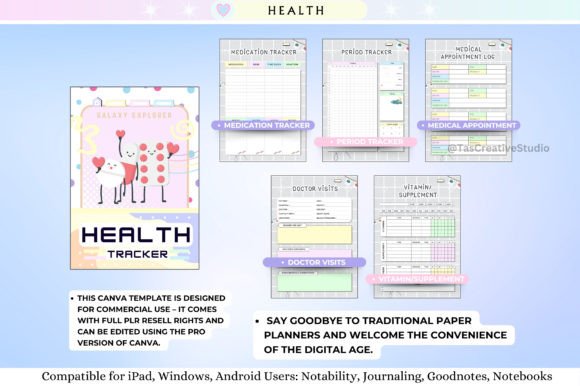
I like flexible templates I can quickly turn into my own product, and PLR Undated Canva Sectioned Planner Template is built for that. The planner is fully hyperlinked with daily, weekly, and monthly sections, plus health, finance, and productivity trackers, so I don’t need to build pages from scratch. I can edit fonts, colors, and layouts in Canva, rebrand it, and reuse the undated format for multiple listings. The included sticker pages and PLR rights make it practical if you want to launch or expand a digital planner shop.
9. Social Media Sectioned Planner Canva Templates KDP
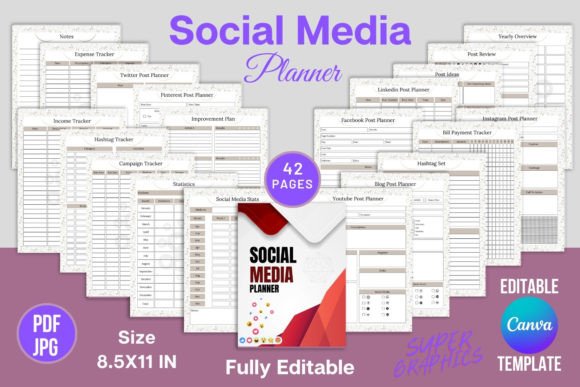
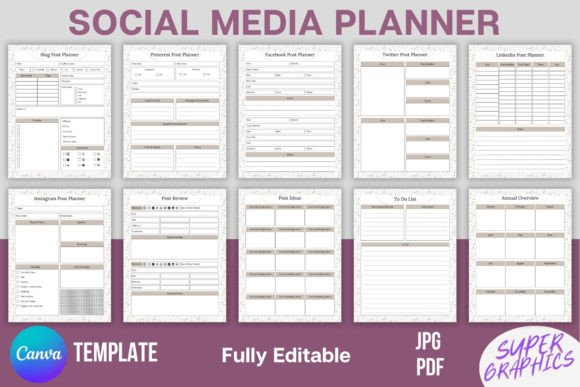
I needed a simple way to track content across platforms, and Social Media Sectioned Planner Canva Templates KDP turned out to be exactly that. Everything is structured: post ideas, stats, growth, income, campaigns. I can edit pages in Canva, adapt them for clients or my own projects, and reuse layouts without starting from scratch. It works well for bloggers, shop owners, or anyone managing multiple channels who wants one clear system for planning and reviewing content.
Explore more in Canva Planner Templates
📄 Printable All-in-One Planners
Structured printable planners with clearly defined sections for easy organization.
10. Fillable Budget Printable Sectioned Planner PDF
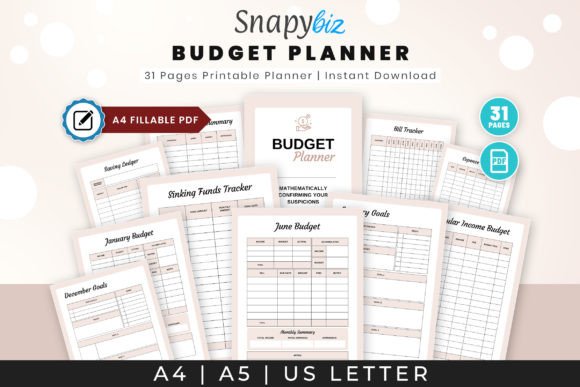
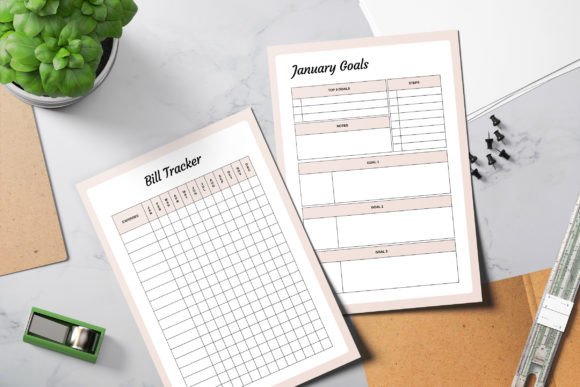
I like tools that make budgeting feel structured without being overwhelming, and Fillable Budget Printable Sectioned Planner PDF does exactly that. I use it to track weekly paychecks, bills, and savings in one place without jumping between apps. The layout is clear, with trackers for expenses, goals, and sinking funds, so I always see where my money goes. It works both as a printable binder and a fillable file for GoodNotes, which makes it easy to update every week and actually stay consistent with my finances.
Prefer printable formats? Browse Printable Planner Templates
🧠 ADHD-Friendly Sectioned Planners
Simple layouts designed to reduce overwhelm and improve focus.
11. ADHD Purple Digital Sectioned Planner ( Pastel )
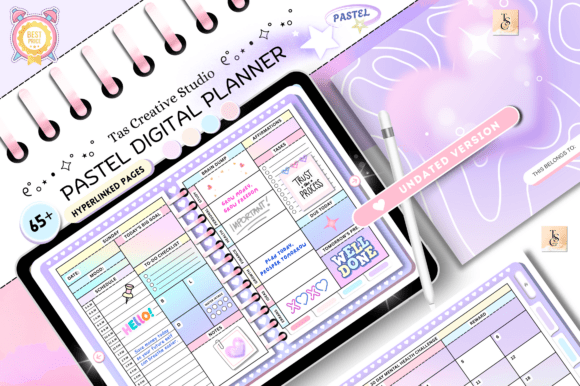
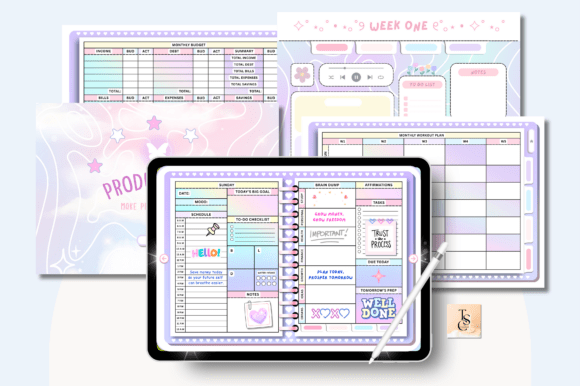
I use ADHD Purple Digital Sectioned Planner ( Pastel ) when I need a calm, structured layout that doesn’t overwhelm me. The undated hyperlinked pages let me jump between daily, weekly, and monthly planning fast, while trackers for habits, self-care, budget, and routines keep everything in one place. The soft pastel design helps me stay focused without visual clutter, and since it’s reusable, I can reset and start fresh anytime in GoodNotes, Notability, or any PDF planning app.
Explore more in ADHD Planner Templates
📊Comparison Table
| Planner Type | Best For | Key Focus |
|---|---|---|
| All-in-One Daily Planner | Managing everything in one system | Tasks, schedule, notes |
| Sectioned Productivity Planner | Structured daily organization | Clear categories for planning |
| Goal + Task Hybrid Planner | Connecting goals with execution | Priorities and action steps |
| Weekly Sectioned Planner | Week-based organization | Balance and overview |
| Digital All-in-One Planner | Multi-device flexibility | Hyperlinked navigation |
| Printable Sectioned Planner | Paper-based planning | Focus without distractions |
| Work + Personal Split Planner | Separating life areas | Boundaries and clarity |
| Minimal Sectioned Planner | Reducing overwhelm | Simplicity and focus |
Understanding Different All-in-One Planner Types
- All-in-one planners with sections are designed for people who want a single system to manage different areas of life without switching between multiple tools. The main difference between templates is how they structure information and how detailed each section is.
- Daily all-in-one planners combine tasks, schedules, and notes into one layout. They are ideal for users who want full daily control without needing separate systems for planning and tracking.
- Sectioned productivity planners divide the page into clear functional areas such as priorities, tasks, notes, and reflections. This structure helps users stay organized without feeling overwhelmed by scattered information.
- Goal-focused hybrid planners connect daily planning with long-term objectives. They are useful for people who want to ensure that everyday actions are aligned with bigger goals.
- Weekly sectioned planners provide a broader view of tasks and priorities across the week. They are especially helpful for users managing multiple responsibilities or projects.
- Digital all-in-one planners offer flexibility and easy navigation through hyperlinked sections, while printable versions are better for users who prefer a distraction-free, pen-and-paper approach.
- Minimal sectioned planners are designed for users who struggle with overload and need a simplified structure that still keeps planning organized and effective.
How to Choose the Right All-in-One Planner Template
- The best all-in-one planner depends on how complex your daily routine is and how much structure you need.
- If you want full control over your day in one place, a detailed daily all-in-one planner is the best option. It helps you manage tasks, schedule, and notes without switching tools.
- If you prefer structure but not complexity, a sectioned productivity planner is more suitable. It separates different areas of planning while still keeping everything in one page.
- For users focused on long-term results, a goal + task hybrid planner is the most effective choice because it ensures that daily actions support bigger objectives.
- If your schedule changes often, a weekly sectioned planner gives you better flexibility and overview of your time.
- Digital planners are ideal for users who want fast editing, reminders, and cross-device access, while printable planners work better for focused, distraction-free planning sessions.
- If you tend to feel overwhelmed by planning systems, a minimal sectioned planner will help you stay consistent without unnecessary complexity.
FAQ
You may also like:
- 14 Best Daily Planner Templates for Productivity, Focus & Organization (2026)
- Weekly Planner Templates
- 39 Productivity Planner Templates for Better Focus
Conclusion
Choosing the right layout can make planning faster and more consistent. Sectioned Planners work especially well when you want clear boundaries between tasks, schedules, and notes without jumping across multiple pages. Whether you prefer printable pages or digital formats, structured sections help reduce friction and keep planning practical.
If your goal is a cleaner workflow and better focus, a structured layout is one of the easiest upgrades. A well-designed page keeps priorities visible, helps track progress, and turns daily planning into a simple, repeatable habit.
Want to see our full range of organization tools?
Explore the complete collection of Planners and Trackers, featuring everything from digital ecosystems to printable layouts designed for every goal.