35 Budget Spreadsheet Templates for Google Sheets & Excel
Managing your money becomes much easier when you can clearly see where it goes. Budget spreadsheets provide a simple and flexible way to track income, expenses, savings, bills, and financial goals without relying on complicated software or expensive budgeting apps.
Whether you’re creating a household budget, managing personal finances, tracking monthly expenses, or building a savings plan, Google Sheets and Excel templates can help you stay organized and make smarter financial decisions. In this guide, you’ll find budget spreadsheet templates designed for different financial needs, from simple monthly budgets to advanced financial tracking systems.
Quick navigation
Table of Contents
Monthly Budget Spreadsheet Templates
These templates help you create a clear monthly budget by organizing income, expenses, bills, and savings goals in one place. They are ideal for building better financial habits and maintaining visibility over your spending.
1. Google Sheets Budget Template
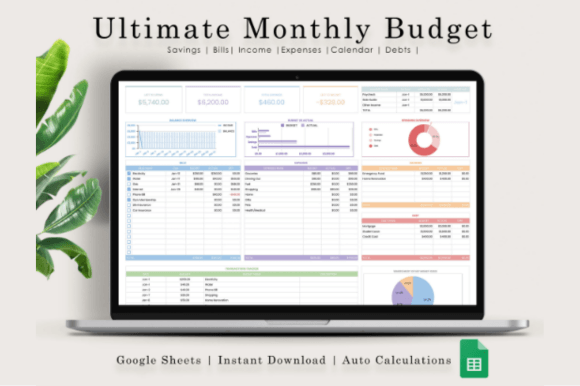
I’ve tried dozens of budget trackers, but a clean spreadsheet on Google Sheets is still the most satisfying way to keep your money in check. This monthly and annual template is perfect because it doesn’t just list numbers—it builds a proper visual dashboard with charts and graphs that actually make sense of your income and expenses. It includes a smart transaction tracker split into everyday categories like groceries, food, and utilities, so you can see exactly where your cash is going and adjust things on the fly.
Setting it up is about as easy as it gets. You just need a free Google account to open the link from the PDF, and it already comes filled with dummy data so you can see the formulas working before you clear it out and plug in your own numbers. It’s completely ready to go, totally practical, and saves you from the massive headache of building your own financial dashboard from scratch.
2. Google Sheets Budget Template
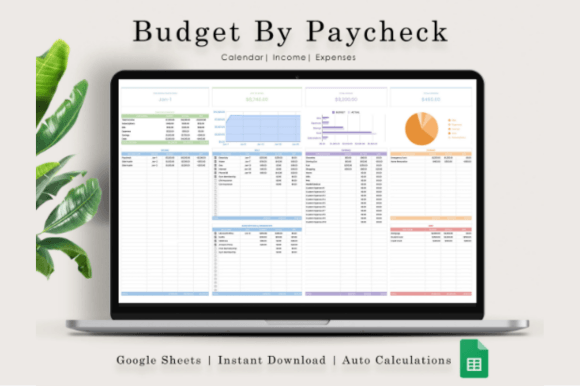
Honestly, tracking money only clicked for me when I started breaking it down by paycheck rather than just looking at a massive monthly block. This Google Sheets spreadsheet is a lifesaver for that exact reason. It handles both your personal and business finances without making you feel like a data analyst. You get a super clear transaction tracker categorized by regular stuff like food, shopping, and utilities, plus a bill calendar and visual charts that actually make sense of your cash flow at a single glance.
Getting it up and running is as simple as clicking the link inside the PDF you receive, so all you need is a free Google account. There are also screenshots and a short video included if you want a quick walkthrough before you start plugging in your income and expenses. It completely removes the guesswork from setting up your formulas, giving you a clean, practical system to monitor your budget and make quick adjustments whenever you need to.
3. Google Sheets Budget Template
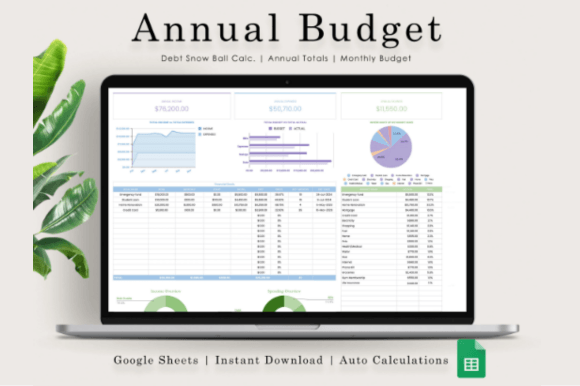
There is nothing more satisfying than finally getting a clear picture of your money without staring at a messy pile of receipts. This Google Sheets annual budget tracker is exactly what you need to keep tabs on your personal or business finances without the headache. It features a clean transaction tracker sorted by everyday categories like groceries, utilities, and shopping, so you can log your expenses on the fly and see exactly where your income is going over the months.
Instead of just looking at raw numbers, the template builds a neat dashboard with charts and graphs that map out your monthly and annual progress visually. Setting it up takes less than five minutes—all you need is a free Google account to open the link from the PDF. If you want a quick walkthrough before you start plugging in your cash flow, there are also handy instructions, screenshots, and a short video included to get you moving right away.
4. Google Sheets Budget Template
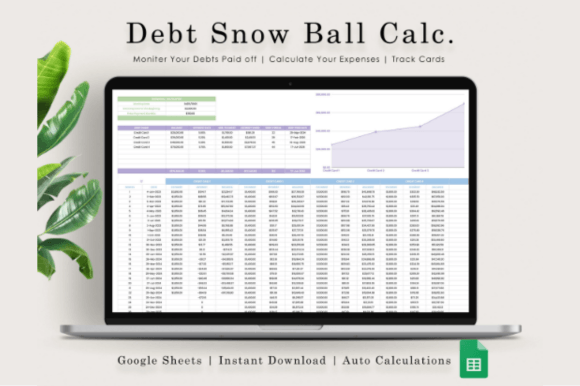
I’ve tried a ton of financial layout designs, but nothing clears my head like watching debt actually disappear. This Google Sheets Debt Snowball spreadsheet is built exactly for that. It completely ditches the clutter and focuses on a clean dashboard with visual charts and graphs that show your progress as you pay things off. Whether you’re organizing personal bills or sorting out business expenses, it gives you a practical, stress-free way to track your income and watch your milestone numbers drop month by month.
Getting it running takes less than two minutes. You just need a free Google account to open the link inside the PDF download, and since it’s a digital item, you can get started right away. If you want a quick walkthrough before you plug in your numbers, it comes with clear screenshots and a short instructional video. It is a simple, beautifully put-together spreadsheet that saves you from formatting your own formulas so you can just focus on hitting your goals.
5. Google Sheets Budget Template
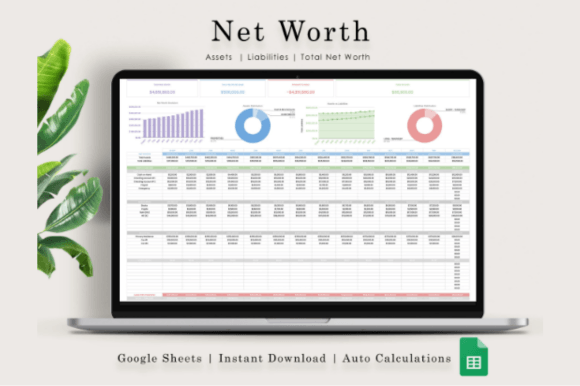
I’m the kind of person who needs to see the big picture to stay sane, and tracking net worth is honestly the best way to do it. This Google Sheets template skips the overcomplicated financial jargon and gives you a clean, straightforward dashboard to map out your assets and liabilities. The built-in charts and graphs update automatically, so you can actually watch your progress grow month by month without spending hours messing with broken formulas.
It takes about two minutes to set up. All you need is a free Google account to open the link from the PDF, and it’s completely ready for your personal numbers or small business finances. If you hate guessing how spreadsheets work, the included screenshots and quick video walkthrough make it super easy to dive right in. It’s just a solid, practical tracker that does exactly what it promises.
6. Budget Planner Template in Google Sheets
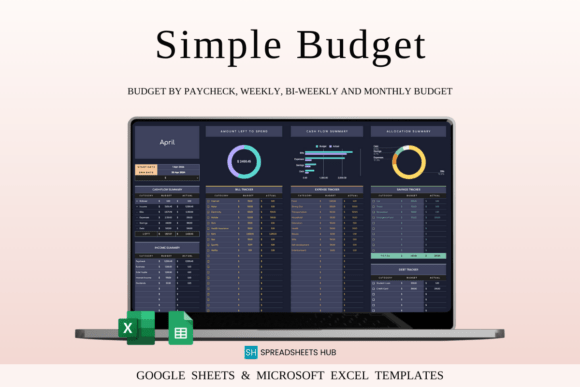
I’ve always been obsessed with planners, and finding one that actually looks good while doing the heavy lifting is a rare gem. This Dark Theme Budget Planner for Google Sheets and Excel is exactly that. It ditches the boring spreadsheets for a sleek, modern look that doesn’t hurt your eyes. What I love most is the one-tab simplicity—you get a clear cash flow overview, automatic expense breakdowns, and visual spending graphs without flipping through a million pages. Plus, it adapts to monthly, weekly, or bi-weekly setups and works with any currency.
Setting it up takes minutes: you just enter your transactions and let the sheet handle the math. It’s completely customizable to your spending habits and even comes with checkboxes for bills, a bonus Goal Tracker tab, and a step-by-step video tutorial. You get four clean templates (both blank and with sample data) that work perfectly on your phone, PC, or tablet. If you want a quick, beginner-friendly way to get your finances organized without the headache, this is the one to grab.
7. Budget Planner Template in Excel
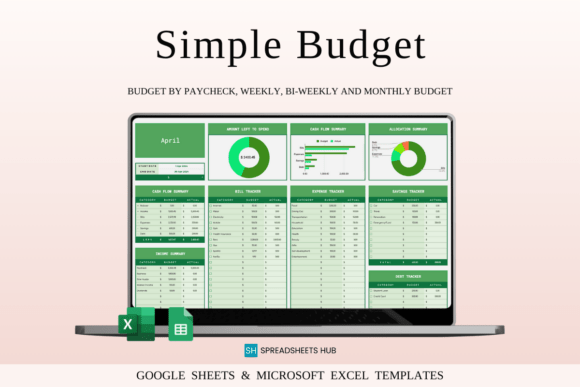
I’ve always found that a good design makes a huge difference when you’re trying to stick to a budget, and this green theme template is incredibly refreshing to look at. It completely avoids spreadsheet clutter by keeping everything on a single, easy-to-navigate tab. You just enter your transactions, and the sheet automatically handles the calculations, giving you visual graphs of your remaining balance and expenses. It works with any currency, supports weekly or monthly planning, and includes handy checkboxes for bills, plus a bonus Goal Tracker tab to keep your focus sharp.
Setting it up takes just a few minutes, whether you use Excel or Google Sheets on your phone, PC, or tablet. Your download comes with four files, including both blank templates and sample sheets with mock data so you can see exactly how the formulas work before clearing them out. There is also a quick video tutorial to help you get started right away. If you want a clean, beginner-friendly tool that takes the stress out of tracking your cash flow, this layout is exactly what you need.
8. Monthly Budget Google Sheets
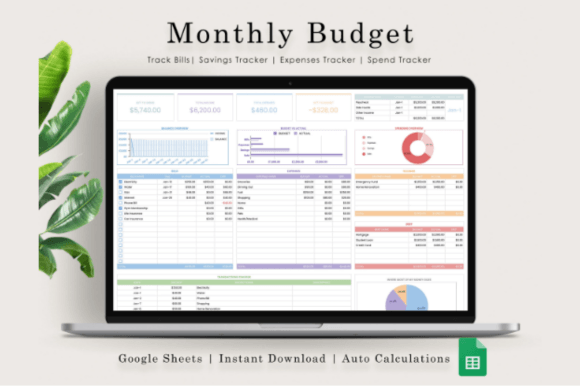
Managing money gets so much easier when you actually like looking at your spreadsheet. This monthly tracker for Google Sheets is built exactly for that, giving you a clean, visual dashboard with charts that map out your income and expenses without any clutter. The transactions tracker lets you categorize everyday spending—like food, shopping, and utilities—on the fly, so you can see exactly where your cash goes. It works perfectly whether you’re sorting out your personal bills or keeping tabs on small business finances.
You can set everything up in less than five minutes. All it takes is a free Google account to open the link inside the PDF download, and you’re ready to start plugging in your numbers. There are also quick screenshots included if you want a visual guide before you dive in. It’s a straightforward, practical tool that saves you from the massive headache of building formulas from scratch, letting you monitor your progress and adjust your habits completely stress-free.
9. Personal Monthly Budget Template
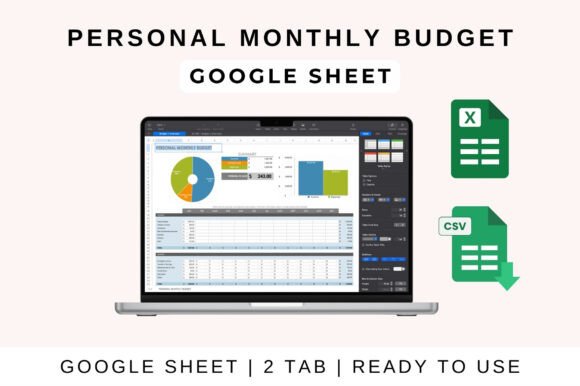
Honestly, keeping track of expenses usually feels like a chore, but a clean, one-page setup completely changes that. This personal monthly budget sheet gives you an instant snapshot of your income versus spending without making you jump through hoops. It automatically calculates your totals and balances as you type, and it already has built-in sections for all the everyday stuff like rent, food, and savings. Plus, the visual charts pop up automatically to highlight your spending trends, so you can easily see where your money is actually going.
The best part is how flexible it is, whether you prefer working on a laptop, tablet, or phone. It works seamlessly across Google Sheets, Excel, and Apple Numbers, so you can just drop it into your favorite app and start typing. There is zero complicated formula building required on your end—you just enter your data and watch the totals adjust dynamically. It’s customizable, beginner-friendly, and perfect if you just want a practical way to manage your cash flow without the usual headache.
10. Full Twelve-Month Budget Tracker Excel
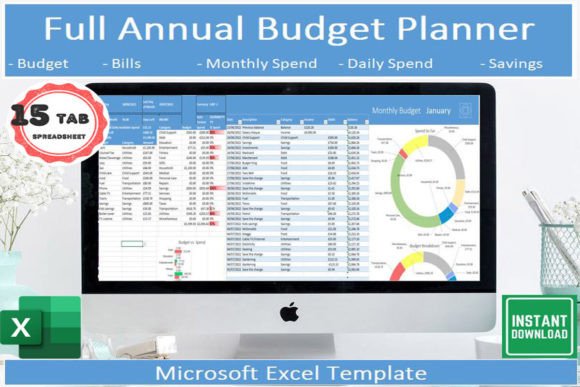
I really love templates that cover a full year because they let you see the big picture without forcing you to look at isolated monthly blocks. This Excel spreadsheet splits your year into 12 dedicated monthly tabs, so tracking your income, pay, and bills feels incredibly organized. It comes with an annual dashboard filled with helpful charts to visualize your progress, and it even includes a tab with category examples to help you sort your spending. Setting it up is effortless, and you can switch currencies between Pounds, Dollars, or Euros and swap date formats with a single click.
You don’t need to be stuck at a computer to stay on top of things, either. The spreadsheet works perfectly on the free Microsoft Excel app, so you can easily log transactions or check your bill payments right from your phone. Your digital download comes with clear instructions that explain exactly how everything works, removing all the guesswork. If you want a clean, straightforward layout to manage your money without wrestling with complicated formulas, this is a great system to grab.
11. 50/30/15/5 Monthly Budget Planner
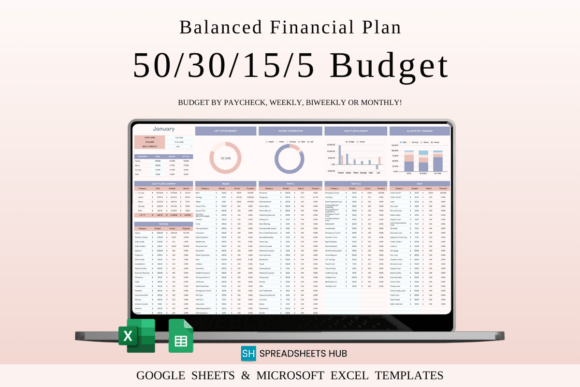
I’ve tested countless budgeting methods, but the 50/30/15/5 rule is by far one of the most realistic ways to organize your money. It structures your income perfectly: 50% for essentials, 30% for fun, 15% for savings, and 5% for debt. Instead of building the formulas yourself, this pre-made spreadsheet handles all the math. You just plug in your income, and it automatically splits and tracks everything. It’s incredibly refreshing because it lets you build up your emergency fund and clear debt without forcing you to completely give up dining out or shopping.
Whether you prefer working on your phone, laptop, or tablet, the download comes with four templates ready for both Google Sheets and Excel. You get blank sheets to start fresh, plus sample versions filled with mock data so you can see exactly how it works before typing in your numbers. Clear, step-by-step instructions are also included to get you set up in minutes. If you want a structured yet flexible system that keeps your habits on track without the usual spreadsheet headache, this layout is exactly what you need.
12. 50/30/15/5 Annual Budget Spreadsheet
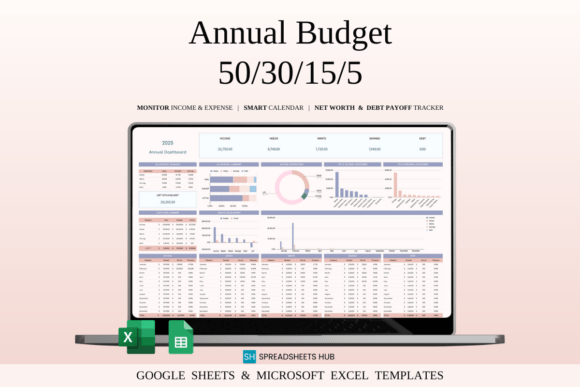
I’ve tested dozens of financial systems, but the 50/30/15/5 breakdown is easily the most sustainable way to budget. Instead of burning out by cutting all fun from your life, this annual spreadsheet splits your income into realistic buckets: 50% for needs, 30% for wants, 15% for savings, and 5% for debt. The best part is that it tracks your habits across the entire year, letting you compare month-to-month trends and set specific savings goals. All the formulas are fully automated, so you don’t have to worry about manual math.
What makes this template a lifesaver is how adaptable it is. You can customize the expense categories to perfectly fit your lifestyle, whether you use Google Sheets or Excel on your phone, laptop, or tablet. Your download comes with four templates, including both blank sheets and sample versions filled with mock data so you can see how it works instantly. It’s clean, practical, and saves you from the massive headache of building a tracker from scratch.
Once you have a monthly budget in place, the next step is tracking where your money actually goes. This is where dedicated expense tracking spreadsheets become especially useful.
Expense Tracking & Budget Monitoring
Expense tracking templates provide a detailed view of spending patterns, helping you identify unnecessary expenses and make more informed budgeting decisions.
13. Pink Budget Tracker Excel Template
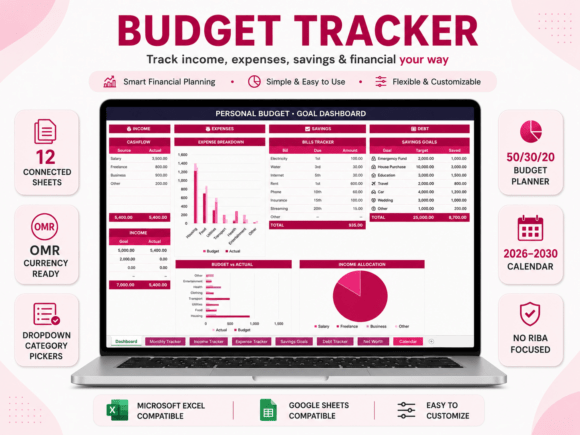
I’m always on the lookout for trackers that manage to look good without getting overcomplicated, and this soft pink Excel template hits the perfect balance. It covers everything from an automated 50/30/20 planner with adjustable percentages to asset and debt tracking, all in one connected system. You can map out your savings goals with built-in time estimates and use the dropdown category pickers to log your transactions quickly. It even includes a full calendar running all the way through 2030, which is perfect for planning ahead without messing up your current month.
The best part is that you don’t need to be a spreadsheet expert to use it—all 12 sheets connect and update your dashboard charts automatically. You can switch to your preferred currency directly in Excel, and it works smoothly whether you prefer Google Sheets or Excel on your laptop or phone. It’s a clean, incredibly organized layout that saves you from building complex formulas from scratch. If you want a straightforward way to keep tabs on your net worth and daily expenses, this setup makes it easy to stay consistent.
14. Income and Expense Tracker Spreadsheet
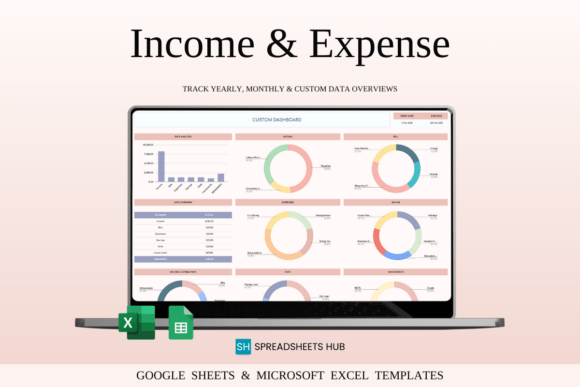
I’ve tested dozens of financial layouts, and this tracker is a lifesaver if you have multiple income streams or bills to handle. It lets you set up to 50 custom categories, which is amazing for separating personal spending from freelance or small business cash flow. You can monitor everything from investments and savings goals to debt repayments and daily expenses in one place. What really stands out is the multi-currency support with automatic conversion—perfect if you live abroad or shop internationally and hate doing the manual math.
The dashboard gives you both a detailed monthly breakdown and an annual summary, plus a custom date range feature to check your stats whenever you want. Your download includes four templates for Google Sheets and Excel, featuring both blank sheets and versions with mock data so you can see the formulas in action. It works on your phone or tablet, though a laptop is best for the initial setup. If you want a clean, highly adaptive tool that keeps your finances organized without the headache, this one is a great choice.
15. Google Sheets Expense Tracker
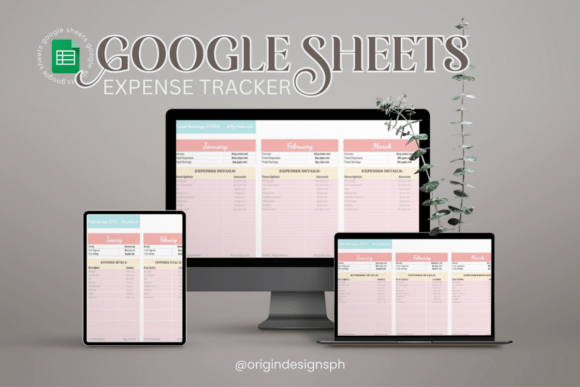
I’m the kind of person who gets a genuine dopamine hit from a well-organized layout, and this Google Sheets expense tracker is perfect for fixing that feeling that your money is just vanishing. It completely skips the overcomplicated formulas and gives you a clean, straightforward way to log your income and categorize your spending on the fly. Whether you are completely new to budgeting or just want a cleaner view of your cash flow, it takes away the friction of tracking so you can actually see where every dollar goes.
What I love most is how visual it makes everything, letting you spot spending trends instantly without doing any manual math. It is built to be simple and completely ready to use, meaning you can drop in your numbers and get a clear picture of your finances in just a few minutes. If you want a realistic, hassle-free tool to get a grip on your budget and finally make informed decisions about your money, you will definitely want to try this setup.
16. Essential Expense Control Kit | Excel
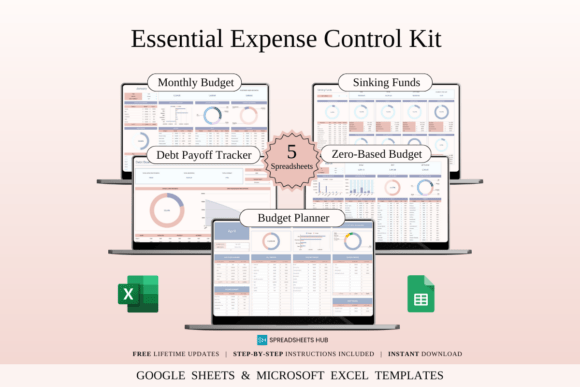
I’ve tested so many financial layouts, and this 20-template kit is a dream if you hate rigid, one-size-fits-all sheets. It includes a Zero-Based tracker to give every dollar a job, a Sinking Funds sheet for holiday savings, a debt dashboard, and a quick planner for busy weeks. Everything works in Excel and Google Sheets, so you can easily swap styles depending on your mood.
Setting it up takes minutes on your laptop or phone. The download includes 10 blank sheets and 10 mock-data samples so you can see the formulas work before typing. If you want a flexible, stress-free way to actually stick to your budget, this toolkit is a fantastic find.
17. Budget Planner Excel | Rainbow Theme
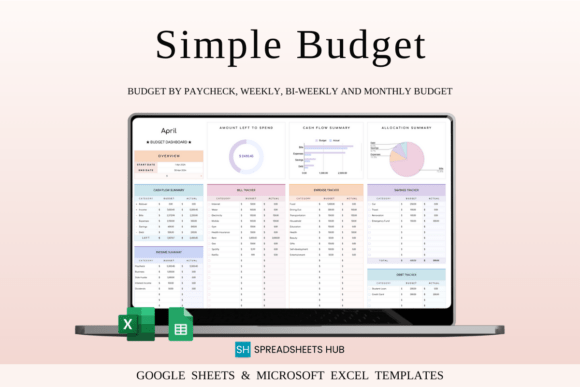
I’m a massive fan of spreadsheet planners, but let’s be real—staring at a dull, gray data sheet makes budgeting feel like a chore. This rainbow theme template is a breath of fresh air. It keeps everything on a single, easy-to-read tab where you just plug in transactions and let the automated math do the work. It supports weekly, bi-weekly, or monthly setups, works with any currency, and gives you visual charts to see your remaining cash. Plus, you get handy checkboxes for tracking bills and debts, along with a bonus Goal Tracker tab to stay on top of your milestones.
Setting it up takes about three steps, and it works perfectly across Excel and Google Sheets on your phone, laptop, or tablet. Your download comes with four templates, including blank sheets and versions with mock data so you can see the layout in action before dropping in your own numbers. There’s also a step-by-step video tutorial to help you get moving right away. If you want a bright, straightforward way to keep tabs on your money without wrestling with messy formulas, this layout is exactly what you need.
Personal Finance Spreadsheet Templates
Personal finance spreadsheets combine budgeting, savings, debt tracking, and financial planning into a single system. They are perfect for anyone looking for a broader view of their finances.
18. Personal Finance Tracker Excel
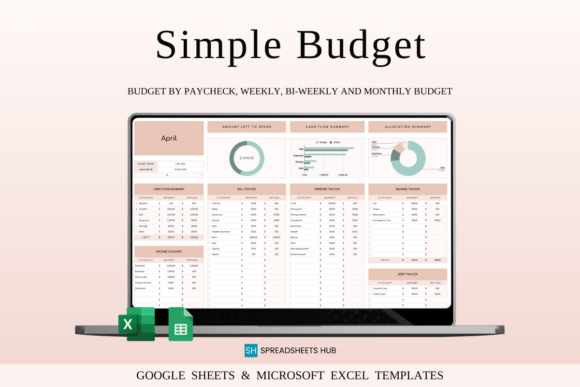
I love trackers that don’t look like a boring corporate data dump, and this elegant theme template is a great example. It keeps everything on a single tab, which means zero scrolling through endless sheets just to see your balance. You just log your transactions, and the formulas instantly build your spending graphs and cash flow overview. It adapts perfectly to weekly or monthly schedules, works with any currency, and includes helpful bill checkboxes plus a dedicated goal tracker tab to keep you moving forward.
Getting it set up takes about three steps, and you can use it across Excel and Google Sheets on your phone or laptop. The download includes four templates—both blank sheets and pre-filled versions with mock data—so you can see how it functions before adding your numbers. A quick video tutorial is also included to save you time. If you want a clean, minimalist layout that actually makes you want to open your budget every day, this one is definitely worth adding to your routine.
19. Financial Tools | Excel & Google Sheets
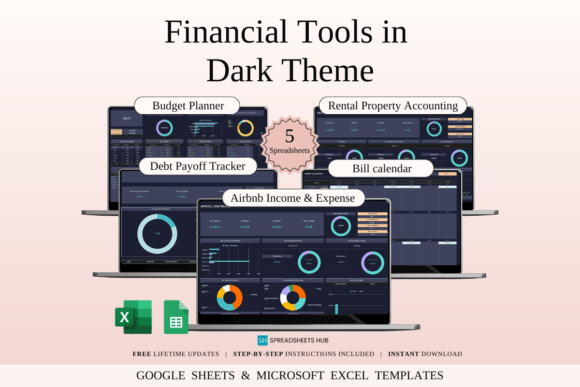
I’m a total sucker for clean spreadsheet layouts, and this dark mode finance bundle is a massive relief for anyone tired of staring at blinding white screens. It packs 20 templates that cover everything from a standard monthly budget and a visual bill calendar to specific trackers for Airbnb hosts and rental property owners. You get a sleek, distraction-free setup to watch your debt decrease and log your guest bookings or tenant payments without getting bogged down by complicated design elements.
The best part is that it works seamlessly in both Excel and Google Sheets on your phone, laptop, or tablet. Your download includes 10 blank sheets to start fresh, along with 10 pre-filled mock data versions so you can see exactly how the formulas behave before typing in your numbers. There is zero manual setup required on your end—you just open the link from the PDF, pick your favorite app, and start organizing your cash flow in a format that actually feels great to use.
20. Budget Planner Excel & Google Sheets
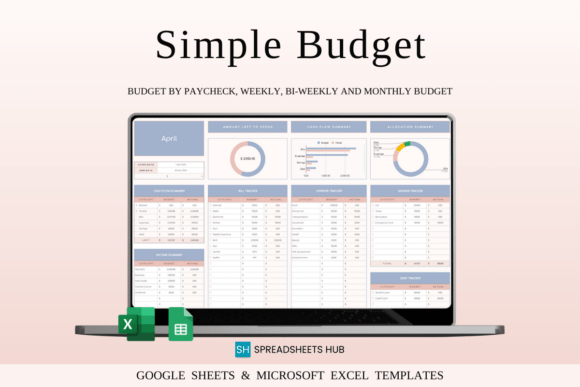
I love trackers that don’t complicate things, and this one-tab layout is perfect if you hate jumping between endless sheets. You just set your initial balance, plug in your regular transactions, and let the automated math handle the rest. It works with any currency, adapts to weekly or monthly schedules, and features handy checkboxes for bills, debt, and savings. Plus, the built-in spending graphs and cash flow overviews give you an instant visual breakdown of your money, while a bonus Goal Tracker tab keeps you focused on your milestones without any extra effort.
Setting everything up takes about three quick steps on your phone, laptop, or tablet. The instant download includes four templates for Excel and Google Sheets, giving you both fresh blank files and pre-filled sample sheets with mock data so you can see the setup in action. There’s also a straightforward video tutorial to get you moving right away. If you want a clean, beginner-friendly tool that lets you customize your income and expense categories without wrestling with messy formulas from scratch, this system is a fantastic, stress-free choice.
21. Budget Planner Excel Google Sheet
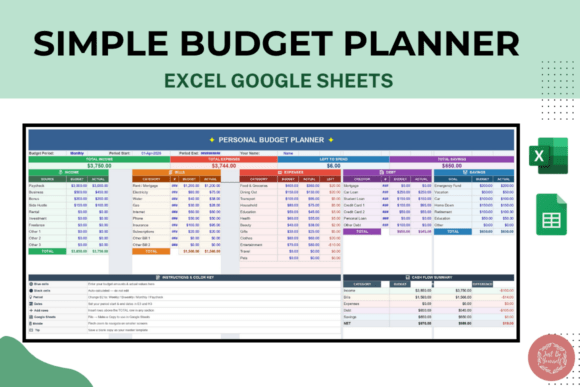
I’ve tried so many complicated setups, but this one-tab budget planner is a lifesaver if you just want to track your money without a headache. It covers all the essentials—income, expenses, and savings—in a clean, simple layout that works perfectly whether you are a complete beginner or a professional. You don’t have to deal with any confusing setup or messy math; you just plug in your numbers and start building better habits. Plus, it’s completely reusable every month, so you can keep using the exact same file to stay organized all year.
What makes this template so practical is how easily it fits into your daily routine. Since it works smoothly on Excel and Google Sheets, you can check your budget on your desktop or quickly log an expense from your phone while on the go. It’s an instant download, meaning you get the editable file right away with zero waiting around for a physical shipment. If you are tired of overcomplicated tools and want a straightforward, stress-free way to hit your savings goals, you will love how effortless this sheet is to use.
22. Budget Planner for Google Sheets
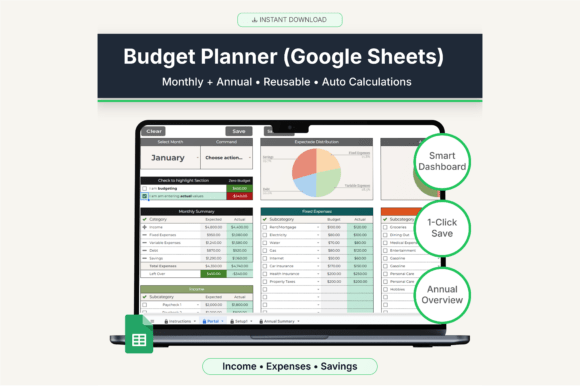
I am a massive sucker for a good spreadsheet, but I absolutely hate clicking through a dozen tabs just to update one day’s expenses. That is why this Google Sheets planner is such a game-changer. It is built around a single “Portal” page where you can switch months instantly, log your numbers, and use the smart dropdown actions to save or clear your data. The template automatically pushes everything to your monthly sheets and updates your annual dashboard behind the scenes. It completely skips the messy formulas and gives you a clean, stress-free layout that actually makes you want to track your money.
Setting it up takes less than two minutes—you just copy the link to your Google Drive and you are ready to go. While it works on your phone or tablet browser, opening it on a laptop gives you the absolute best experience for customizing your categories. It is a completely digital system made specifically for Google Sheets, so there is no physical shipping or clunky Excel conversions to worry about. If you want a highly organized, practical tool to keep your savings and household bills on track without the usual headache, this setup is a brilliant find.
23. Time-Saving Spreadsheet Bundle
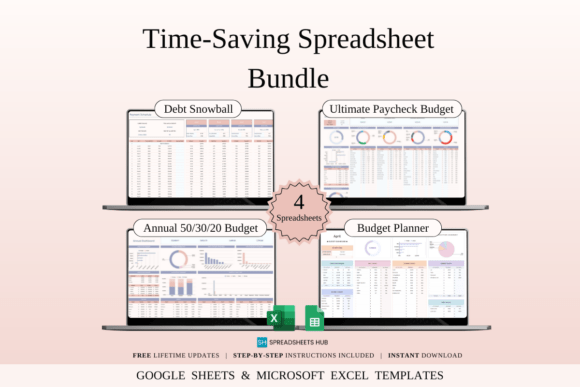
I’m a total sucker for a good finance tracker, but I absolutely hate spending hours setting them up. This 16-template bundle is a lifesaver because it covers every budgeting style in one place. You get an annual 50/30/20 sheet, a paycheck-by-paycheck tracker for irregular income, a visual Debt Snowball tool, and even a bright rainbow-themed planner. All the complex math and formulas are fully automated, so you just drop in your numbers and let the sheets do the heavy lifting. It’s perfect if you want to stay organized without losing your entire weekend to data entry.
What makes this bundle so practical is how easily it fits into your routine, whether you prefer working in Excel or Google Sheets. The instant digital download includes both blank layouts and pre-filled sample sheets with mock data, so you can see exactly how everything works before typing a single number. It works beautifully on your phone, tablet, or laptop, giving you total control over your cash flow on the go. If you are looking for a straightforward, stress-free way to clear debt and hit your savings goals, this toolkit makes it incredibly easy.
Financial planning isn’t only about tracking spending. Many people also use spreadsheets to monitor savings goals and prepare for future expenses.
Savings & Sinking Funds Spreadsheets
These templates help organize sinking funds, savings goals, emergency funds, and future purchases while keeping long-term financial objectives visible.
24. Sinking Funds Tracker Template Excel
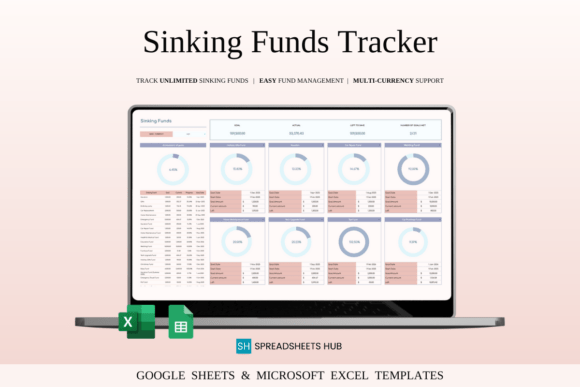
I’ve tested so many savings sheets, but this sinking funds tracker is a total lifesaver for splitting up big financial targets. Instead of keeping vacation money, home repairs, and emergency funds in one messy pile, it maps everything out in a clean dashboard. You just set your goals and deadlines, and the automated math calculates your progress and remaining balance in real time. It even handles multi-currency conversion automatically if you are saving across borders, which skips a huge manual headache.
The layout is super user-friendly and completely skips overcomplicated charts. The instant download includes four templates for Excel and Google Sheets, giving you both fresh blank files and pre-filled sheets with mock data so you can see how it works instantly. It runs smoothly on your phone or tablet, though setting up your custom categories is easiest on a laptop. If you want a structured, satisfying way to watch your savings grow without wrestling with messy formulas, this layout is an excellent pick.
25. Sinking Funds Tracker I Excel
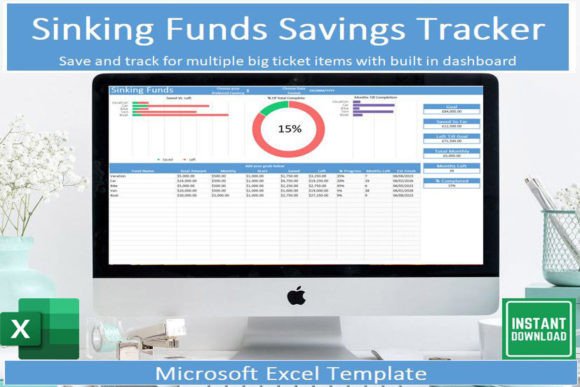
I am a massive fan of spreadsheet trackers, but I absolutely hate when saving for big goals feels like guesswork. This sinking funds template is a lifesaver for plotting out up to 15 major expenses, whether you’re prepping for a vacation or annual insurance bills. You just enter your targets, and the sheet instantly calculates your monthly milestones, extra payments, and even estimates the exact date you’ll hit your goal. It completely skips the complicated setup, giving you automated graphs, quick dropdown menus, and a one-click button to swap between Dollars, Pounds, or Euros.
What makes this layout so practical is how easily it fits into your daily routine without causing a headache. The instant download includes a clear instruction guide and a pre-filled mock data tab, so you can see exactly how the formulas behave before adding your own numbers. Plus, you can download the free Microsoft Excel app to log your savings or check your progress directly from your phone while on the go. If you want a clean, straightforward system to keep your long-term savings organized and completely stress-free, this template is a fantastic tool to grab.
26. Zero-Based Budgeting Templates Bundle
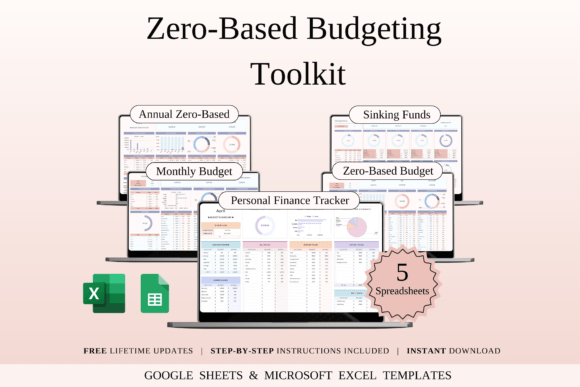
I’m obsessed with zero-based budgeting because giving every single dollar a specific job is the only way to actually see where your money goes. This 5-template bundle is a dream if you want structure without the usual setup headache. It packs a full annual planner, a dedicated sinking funds tracker for big goals, and even a bright rainbow-themed dashboard if you hate boring spreadsheets. Everything works perfectly in both Excel and Google Sheets with zero complex formulas to worry about.
The bundle comes with 20 sheets total, including completely blank templates and pre-filled versions with mock data so you can see exactly how they work. You can easily track everything from your phone or laptop, making it simple to log expenses on the go. If you want a realistic, beautifully organized way to manage your cash flow and finally smash your savings goals, this toolkit is a total lifesaver.
Excel Budget Planner Templates
Excel-based budget planners offer advanced functionality, customization options, and detailed financial analysis for users who prefer working offline.
27. Annual Budget Spreadsheet Template Excel
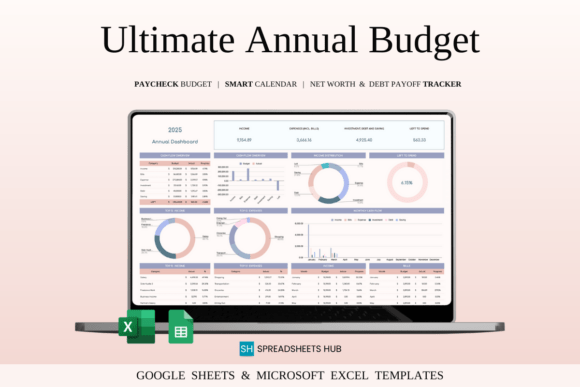
I always get a little stressed thinking about full-year planning, but this annual tracker keeps things incredibly clean. It maps out your entire year of income, expenses, and savings goals without making you scroll through a million confusing tabs. The best part is that all the math is automated—you just drop in your numbers, and the sheet builds real-time totals and year-end reports for you. It’s highly customizable, so whether you’re tracking simple household bills or handling small business cash flow, you can tweak the categories to fit your life perfectly.
The bundle comes with four separate templates for both Excel and Google Sheets, including blank versions and pre-filled sheets with mock data so you can see how everything works right away. Since it works smoothly on phones and tablets, you can easily log a quick expense or check your progress while out and about. If you want a straightforward, stress-free way to actually see the big picture of your finances this year without wrestling with formulas from scratch, this setup is exactly what you need.
28. Bill Tracker Spreadsheet in Excel
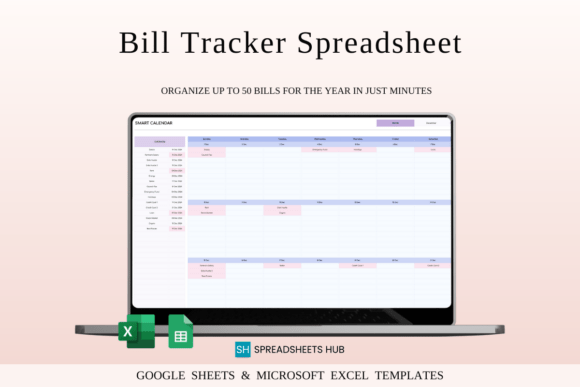
Missing a bill payment or losing track of due dates is incredibly stressful, but this tracker completely solves that. It features a smart dynamic calendar that updates the moment you select the month and year, holding up to 50 bills per day. You can customize your settings, track everything in any currency, and instantly see which payments are done and which are pending. The automated calculations handle all the math for you, and since it is pre-configured for a full 10 years, you won’t need to shop for another template anytime soon.
It works smoothly across Excel and Google Sheets on your phone, tablet, or laptop. The instant digital download packs four templates, including clean blank files and sample sheets with mock data so you can see how it works before typing in your numbers. It is incredibly practical for both personal budgets and managing small business expenses without any clutter. If you want a straightforward, reliable way to keep your financial obligations completely organized and under control, this layout is an absolute lifesaver.
29. Bill Calendar Spreadsheet Template Excel
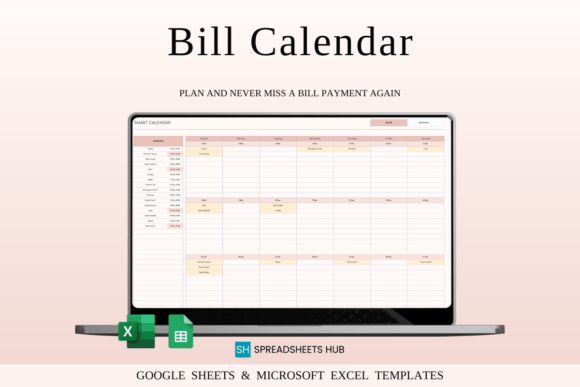
Missing a bill payment is the absolute worst, but this dynamic calendar tracker completely fixes that. You just pick the month and year, and the sheet automatically updates to display up to 50 bills a day. It lets you change colors to match your style, tracks multiple currencies, and shows exactly what is paid and what is still pending. The automated math handles everything behind the scenes, and since it is set up for a full 10 years, you are covered for a long time.
It runs perfectly in both Excel and Google Sheets on your phone or laptop. The instant download gives you four files, including clean blank templates and pre-filled sheets with mock data so you can see how it works right away. It is an incredibly practical tool for managing household expenses or small business bills without the usual clutter. If you want a clean, reliable way to keep your due dates organized and stress-free, this layout is exactly what you need.
30. Bill Payment Calendar Template Excel
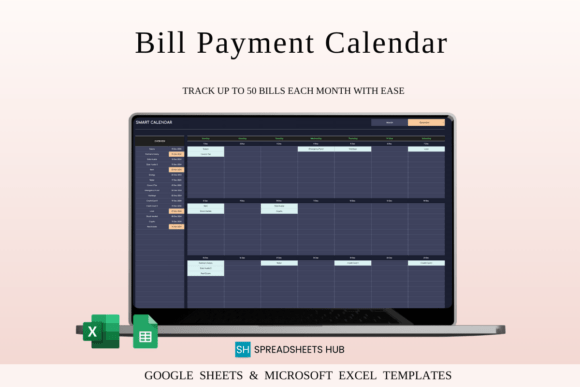
I’m an absolute sucker for a good spreadsheet, but staring at bright white screens while tracking bills late at night is the worst. This dark theme calendar is a total lifesaver for your eyes. You just change the month and year, and the sheet automatically builds a gorgeous, minimal layout that holds up to 50 bills a day. It works with any currency, handles all the math for you, and uses clear visual cues so you instantly see what’s paid and what’s pending. Plus, it’s pre-configured for 10 years, meaning you won’t need a new tracker anytime soon.
It runs perfectly in Excel and Google Sheets, so you can easily update it from your laptop or check a due date on your phone. The instant digital download comes with four files, including clean blank templates and pre-filled sheets with mock data so you can see how it works before typing your own numbers. It is incredibly practical for both personal budgeting and small business expenses without any of the usual clutter. If you want a sleek, dark-mode layout that actually makes managing bills stress-free, this setup is a fantastic choice.
31. Budget by Paycheck Spreadsheet in Excel
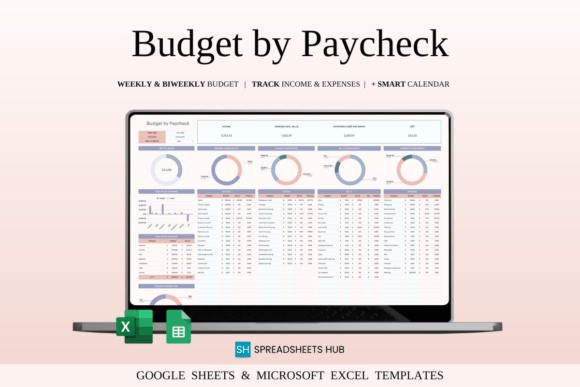
I love monthly trackers, but budgeting paycheck-by-paycheck is a game-changer if you want to know exactly where every dollar goes the moment you get paid. This template lets you duplicate paycheck sections infinitely, making it perfect whether you are paid weekly or bi-weekly. You get up to 50 customizable categories to organize your expenses, a smart bill calendar that tracks your due dates, and multi-currency support that handles conversions automatically. There is zero manual math required; the formulas instantly show your remaining balance after every single entry.
It works smoothly across Excel and Google Sheets on your phone, tablet, or laptop. The instant digital download comes with four templates, giving you clean blank files and pre-filled sheets with mock data so you can see the layout in action before dropping in your numbers. It also includes step-by-step instructions to help you get moving right away without any setup stress. If you want a clean, highly adaptable system to stay on top of your bills and cash flow between paydays, this simple layout makes it incredibly easy.
Budget Systems for Families & Households
Household budgeting templates help families manage shared expenses, recurring bills, savings plans, and overall financial organization.
32. Family Budget Planner
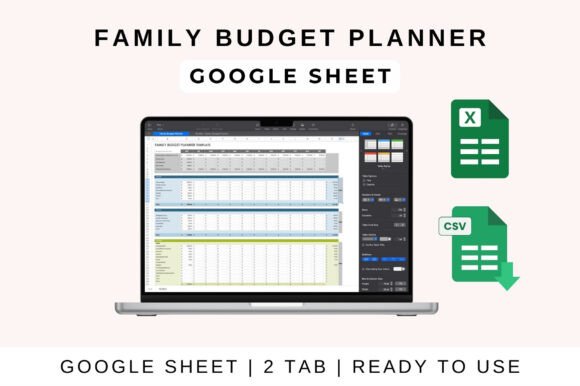
Managing family expenses can turn into a headache fast, but this planner keeps household budgeting surprisingly straightforward. It maps out your monthly income and bills—like groceries, kids’ stuff, and utilities—in a clean layout that lets you compare your planned budget against what you actually spent. The built-in savings and debt trackers do all the heavy math for you, and the visual charts give you an instant snapshot of your cash flow. Plus, it works perfectly across Excel, Google Sheets, and Apple Numbers, so anyone in the family can jump in and update it.
Getting it running takes no time at all. You just open the file on your laptop, tablet, or phone, customize the categories to match your household, and start plugging in your transactions. The formulas instantly handle all the totals, profit, and loss breakdowns behind the scenes with zero manual setup required on your end. If you want a shared, practical system to keep the whole house organized and finally get a clear handle on where your money goes each month, this template is an absolute lifesaver.
33. Premium Family Budget Planner
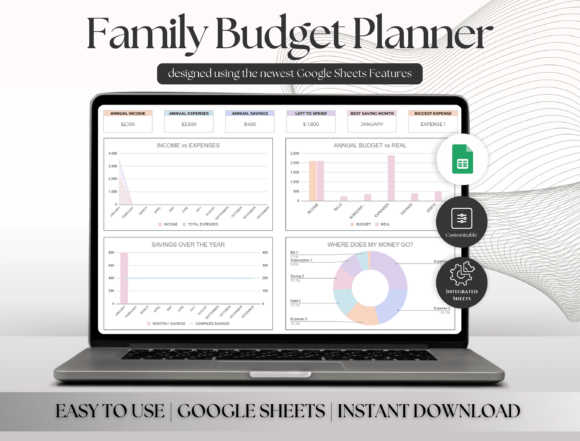
Managing a household budget usually turns into a chaotic mess, but this Google Sheets planner is a total lifesaver. It maps out your entire family’s financial life across 13 smart tabs without making you deal with clunky formulas. You can swap currencies with a single click, link your bank balances, and even split up income and expenses by family member. From an automated annual dashboard to fun money challenges and a built-in interactive bill calendar, it does all the math behind the scenes so you can actually see where every dollar goes without the usual headache.
What really hooks me is the depth of the tracking tools. It packs a heavy-hitting debt calculator that lets you test Snowball or Avalanche strategies for up to 20 debts, a sinking funds dashboard with visual charts, and trackers for both your net worth and future investments. It is a completely digital instant download, meaning no physical clutter and zero setup stress. You just open the PDF link using a free Google account on your laptop or phone, plug in your numbers, and instantly get a beautifully organized, aesthetic system to hit your family savings goals.
Advanced Budget & Financial Tracking Spreadsheets
These advanced spreadsheets help manage more detailed financial tracking, including budgeting, bookkeeping, and financial planning. They are designed for users who need more control over income, expenses, and long-term financial organization.
34. Small Business Bookkeeping Spreadsheet
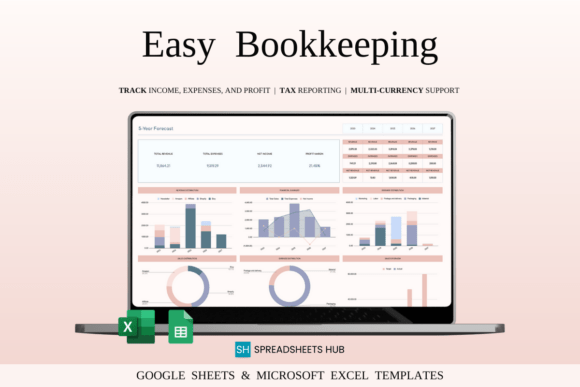
Bookkeeping is usually a total drag, but this spreadsheet actually makes me want to sort out my business numbers. It includes a Profit and Loss tracker, a Sales Tax tracker, and an Accounting Ledger, giving you everything in one place. You just enter your daily transactions, and the automated math handles the rest. What I love most is the massive 5-year dashboard—you can literally track your monthly and yearly growth over half a decade without messing with complex formulas. It also supports multiple bank accounts and handles tax reporting, which saves so much time when tax season rolls around.
It works perfectly whether you prefer Excel or Google Sheets on your phone, tablet, or laptop. The instant digital download comes with four templates, including clean blank files and pre-filled sheets with mock data so you can see the layout in action before typing your own info. You can easily set your base currency, map out your specific revenue streams, and track your custom expense budgets. If you want a clean, straightforward way to keep your small business finances perfectly organized and completely stress-free, this setup is a fantastic find.
35. Rental Property Bookkeeping Tracker
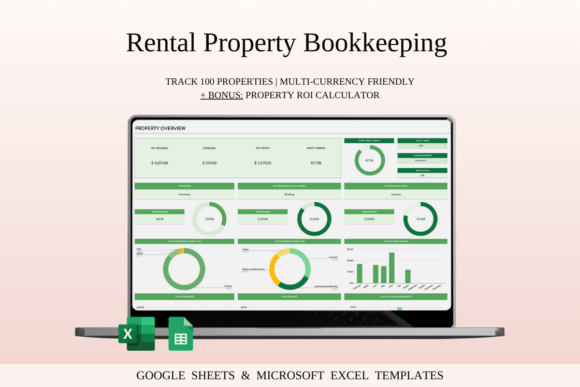
Managing rental properties across Airbnb, Booking.com, and VRBO usually turns into a total accounting nightmare, but this green-themed tracker makes bookkeeping surprisingly satisfying. You just log your transactions, and the spreadsheet automatically updates your property dashboards, calculates ROI, and maps out a 5-year growth forecast. It completely eliminates manual math, letting you instantly filter numbers by specific listings or check your tax figures without scrolling through confusing tabs.
What makes this setup so practical is that it runs beautifully on both Excel and Google Sheets, whether you are on your laptop or updating a quick expense from your phone. The instant digital download comes with four templates, including clean blank files and pre-filled sheets with mock data so you can see the layouts in action right away. If you want a clean, aesthetic, and stress-free way to keep your rental income organized and track your most profitable earners, this tool is an absolute lifesaver.
Create Your Own Budget Spreadsheet with AI Studio

Need a spreadsheet tailored to your budgeting style? With Creative Fabrica AI Studio, you can create personalized budget spreadsheets, expense trackers, savings calculators, and financial planning sheets designed for Google Sheets, Excel, or printable use.
What Makes a Good Budget Spreadsheet?
A useful budget spreadsheet should make it easy to compare planned income and expenses with what actually happens. At minimum, look for clear categories, budgeted and actual amounts, automatic totals, and a visible difference between your plan and real spending. This gives you useful information for adjusting the budget instead of simply recording numbers.
The right structure depends on how you manage money. A simple monthly spreadsheet may be enough for basic household budgeting, while a more advanced template can include transaction tracking, yearly summaries, dashboards, savings goals, or zero-based budgeting. Google Sheets and Excel templates can also differ in how easily categories, formulas, and reporting can be customized.
The best budget spreadsheet is therefore not the one with the most tabs and formulas. It is the one that lets you quickly see where your money is going, whether you are staying within your planned spending, and what needs to change before the next budgeting period.
Comparison Table
| Template Type | Best For | Platform |
|---|---|---|
| Monthly Budget Spreadsheet | Managing monthly income and expenses | Excel & Google Sheets |
| Expense Tracker Spreadsheet | Tracking daily spending habits | Excel & Google Sheets |
| Personal Finance Spreadsheet | Complete financial management | Excel & Google Sheets |
| Sinking Funds Tracker | Saving for future goals and purchases | Excel |
| Budget by Paycheck Spreadsheet | Paycheck-based budgeting | Excel |
| Family Budget Planner | Household budgeting | Excel & Google Sheets |
| Bill Tracker Spreadsheet | Monitoring recurring bills and payments | Excel |
| Bookkeeping Spreadsheet | Small business finances | Excel |
How to Choose the Right Budget Spreadsheet Template
- Choosing the right budget spreadsheet depends on your financial goals and budgeting style.
- If you want a simple way to manage monthly income and expenses, a Monthly Budget Spreadsheet is usually the best place to start.
- For people who prefer detailed spending analysis, Expense Tracker templates provide greater visibility into daily transactions and spending habits.
- If your goal is long-term financial planning, Personal Finance Spreadsheets combine budgeting, savings, debt tracking, and financial goals in a single dashboard.
- Families may benefit most from Family Budget Planners, while individuals using paycheck-based budgeting systems often prefer Budget by Paycheck templates.
- Finally, if you’re saving for specific future expenses such as vacations, home repairs, or holiday shopping, Sinking Funds Trackers can help keep those goals organized and on track.
Frequently Asked Questions
Conclusion
A well-designed budget spreadsheet can make financial planning more organized, transparent, and manageable. Whether you’re tracking expenses, planning monthly budgets, building savings, or managing household finances, the right spreadsheet template can help you stay in control of your money.
Explore the budget spreadsheet templates below and choose the system that best matches your financial goals, budgeting style, and preferred platform.
You may also like:
• 27 Best Budget Planner Templates for Smarter Money Management
• 39 Productivity Planner Templates for Better Focus
• 25 Goal Planner Templates to Achieve Your Goals Faster
• 35 Time Blocking Planner Templates That Boost Focus and Productivity
• 60 Self-Care Planner Templates for Daily Wellness
Want to see our full range of organization tools?
Explore the complete collection of Planners and Trackers, featuring everything from digital ecosystems to printable layouts designed for every goal.